Pet Photography Tips: How to Achieve Stunning Custom Dog Portraits
Custom dog portraits don’t happen by chance—they’re crafted with careful dog photo editing that brings each outfit to life. You might think snapping the perfect shot is enough, but the real magic lies in how we match colors, add shadows, and tweak textures. In this article, you’ll get a clear look at the photo editing tools and creative editing techniques that make your dog’s custom outfits look flawless and truly shine. For more pet photography tips, visit this link.
Click here for more information about getting your very own custom dog portrait
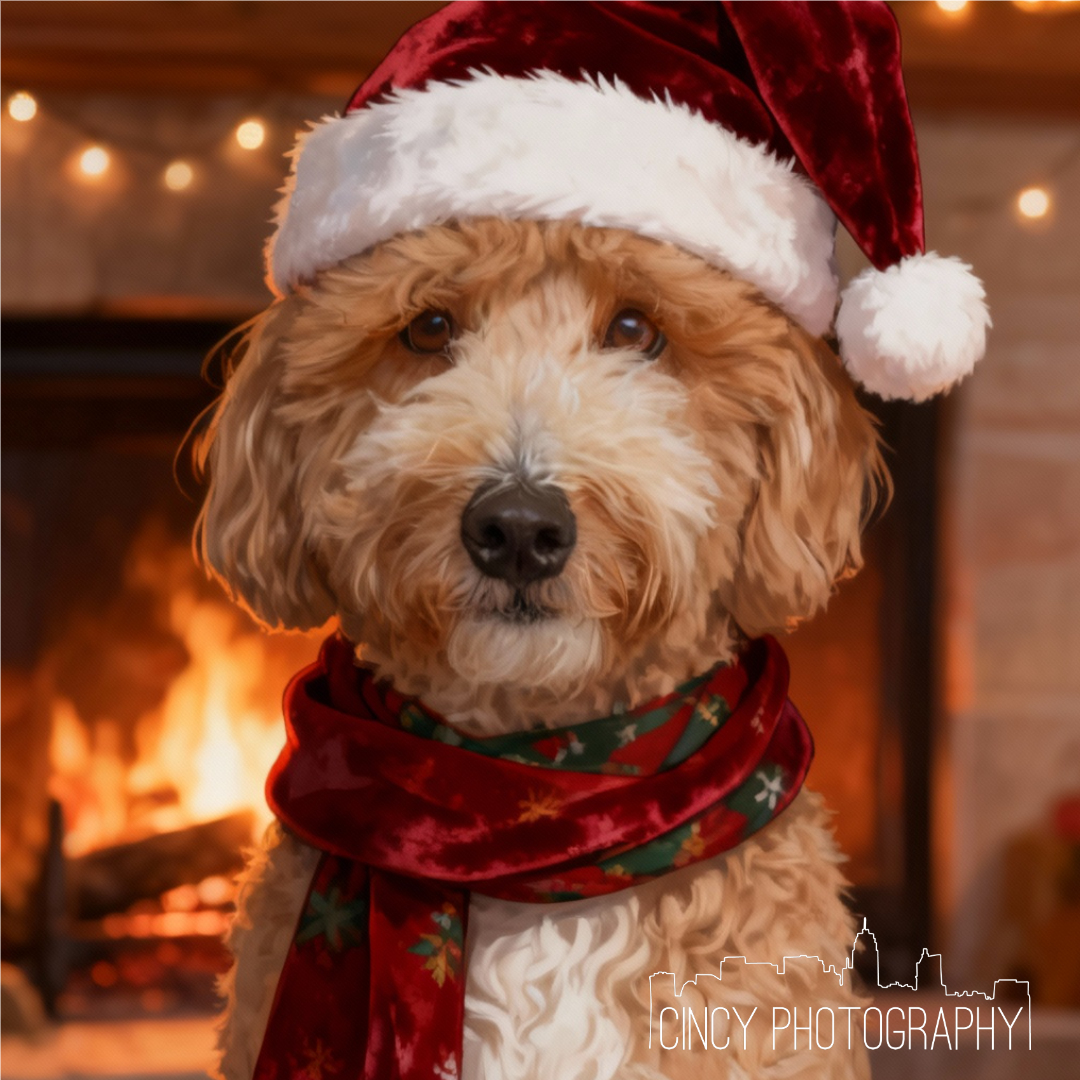

Custom Dog Portrait
This week special price only $4.95
Capture the Perfect Shot
Creating breathtaking custom dog portraits starts with capturing the perfect shot. Let’s explore how the right equipment, understanding your dog’s personality, and setting the right scene can set you up for success.
Choosing the Right Equipment
To start, having the right camera and lens makes all the difference. A DSLR or mirrorless camera offers the flexibility you need. Using a lens with a focal length of 50mm to 85mm is ideal for capturing sharp images. Remember, your camera is your brush, and the lens is the paint. A tripod can also be a photographer’s best friend, stabilizing your camera for those crisp shots you desire. For more gear tips, check out this ultimate guide.
Understanding Your Dog’s Personality
Knowing your dog’s quirks can lead to more natural photos. If your dog loves playtime, incorporate toys to capture candid moments. A calm dog might sit still for longer, allowing you to try different angles. Most people think dogs can’t sit still for photos, but with patience, you can capture their true spirit. Engage with them, and you’ll see their personality shine through, making each portrait unique.
Setting the Scene for Success
The setting of your photo shoot is like the stage for a play. Choose locations where your dog feels comfortable, whether it’s a park or your living room. Natural lighting enhances the image quality, so try shooting in the early morning or late afternoon. Props can add fun elements, but keep them minimal to ensure your dog is the star. A well-planned scene ensures photos that pop, offering a strong foundation for later editing.
Mastering Photo Editing Tools
Once you’ve captured that perfect shot, it’s time to refine it with photo editing tools. This section will guide you through software selection, creative techniques, and color matching to elevate your portraits.
Selecting the Best Software
Every photographer needs reliable software for editing. Adobe Photoshop and Lightroom are industry favorites, offering a range of tools for detailed edits. If you’re new to editing, software like Canva or GIMP can be a great start. Each program provides unique features, so choose one that fits your skill level and project needs. Discover more on editing with Lightroom and Photoshop in this article.
Creative Editing Techniques
Editing is where your creativity takes flight. Techniques like cropping, adjusting brightness, and enhancing contrast can transform an image. Try using filters to add mood or retouching to remove distractions. Most think editing is just about fixing flaws, but it’s about enhancing the beauty already there. Play around with layers and effects, allowing your artistic vision to blossom.
Achieving Flawless Color Matching
Matching colors is crucial when adding dog outfits digitally. Use the eyedropper tool to pick colors from the original photo, ensuring harmony. Adjust hues and saturation for a natural look. A color mismatch can distract, so focus on blending tones seamlessly. Learn from common mistakes by visiting this blog.
Bringing Dog Outfits to Life
The final step in creating stunning portraits is bringing the outfit to life. Here, you’ll learn how texture alignment, shadow addition, and final touches make your portraits stand out.
Seamless Texture Alignment
Aligning textures ensures that outfits look like they belong. Use layers to adjust fabric textures, making them appear part of the photo. Adjusting perspective and scaling can help clothes fit naturally on your dog. People often overlook texture, but getting it right makes the outfit believable. A seamless texture adds depth and realism to your portraits.
Adding Realistic Shadows
Shadows create depth, making outfits appear three-dimensional. Use shadow tools to mimic natural light sources, placing them under or beside the outfit. Most forget about shadows, but they can make or break believability. Subtle shadows enhance realism, helping outfits blend into the scene.
Final Touches for Custom Dog Portraits
Final touches polish your work to perfection. Check for any missed details, adjust the overall tone, and ensure the image tells a cohesive story. A small adjustment can make a big difference, adding to the portrait’s impact. The longer you wait to finish, the more you might second-guess your choices. Trust your instincts, and let your creativity shine.
By following these steps, you’re well on your way to creating custom dog portraits that capture the heart and soul of your furry friend. For more tips on making your pet photos pop, visit this helpful resource.